Speed Test Tool
A tool nobody can find is not a tool. The fix was not a better page, it was making it stop being a page.
- Company
- AT&T
- Year
- 2022 – 2024
- Role
- Senior UX Designer, Research & Innovation
- Category
- Component / Design Systems
- Figma
Context
"Is my internet slow?" is one of the most common questions a customer arrives with, and a speed test is the fastest way to answer it.
AT&T had two of them. One measured the connection between your device and the internet. The other measured the connection between your AT&T gateway, the box in your house, and the AT&T network. Both were nested inside the Help and Support pages.
I designed and prototyped the rebuild: one component that carries both tests, at every breakpoint and every state.
Problem
Being in Support meant only reaching people already in trouble. To use the tool you had to be in a support mindset and then navigate several levels down to find it. That is fine for someone whose internet just broke. It is useless for everyone else.
Speed is not only a support question. It is a purchase question. Somebody comparing plans wants to know what they are getting now, and somebody on a product page wants to know whether an upgrade is worth it. None of those people go to Help and Support first, so none of them ever met the tool.
Two tests that customers could not tell apart. The distinction between them is real and it matters. A device test measures your Wi-Fi, which is affected by your router's position, your walls and your laptop. A gateway test measures the line coming into the building.
If those two return different numbers, that difference is the diagnosis. Slow Wi-Fi with a healthy line is the customer's problem to solve. A slow line is ours. But the two tests were separate things in separate places, so nobody ran both, and nobody got the comparison that would have told them which one they had.
Nothing that lives in one place can move. The deeper problem was structural. It was built as a page, and a page only exists at its own URL. Anything that needs to appear in five places has to stop being a page first.
Solution
Make it a component, not a page. The whole rebuild follows from this. Once the tool is a component, it can sit on a plans page, a product page, an internet landing page or the support page it came from, without being rebuilt for each one.
That is what makes it accessible in the practical sense: the tool travels to where the question is being asked, rather than waiting at a URL for people to find it.
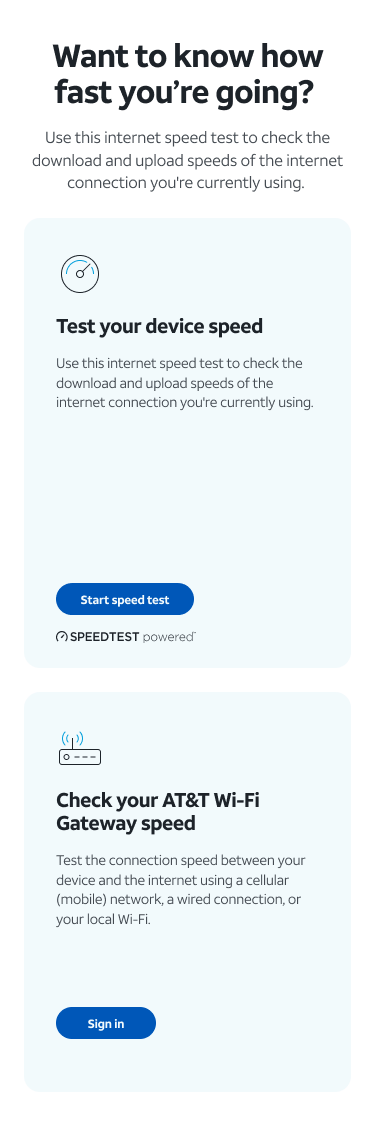
It also raises the bar. A support page has one layout and one audience. A component has to survive whatever page it lands on, which is why the work is three breakpoints and a full state matrix rather than one good screen.
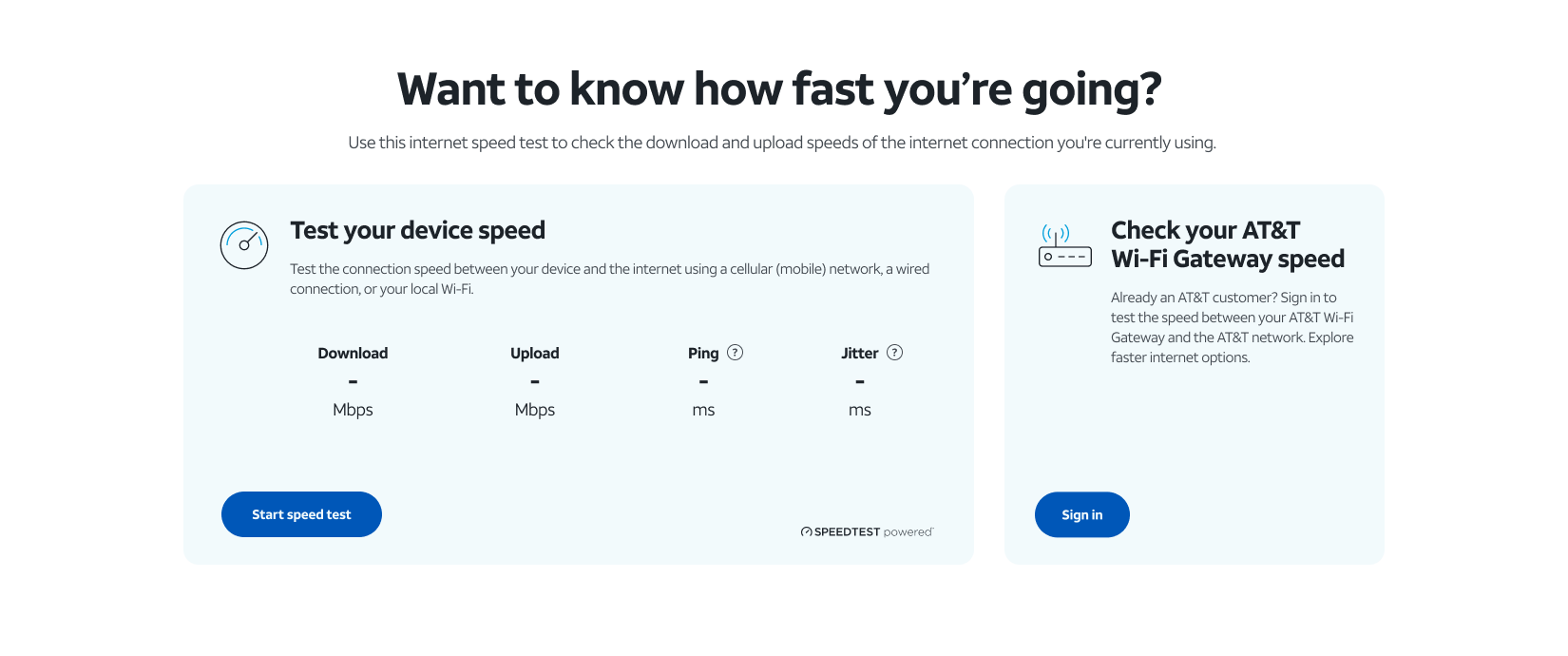
Put both tests side by side. The two cards sit together and are labeled by what they actually measure, not by what system they belong to. Test your device speed, open to anyone. Check your AT&T Wi-Fi Gateway speed, which needs a sign-in because it has to know which gateway is yours.
Presenting them together is the diagnosis. Run both and the gap between the numbers tells you where the problem is.
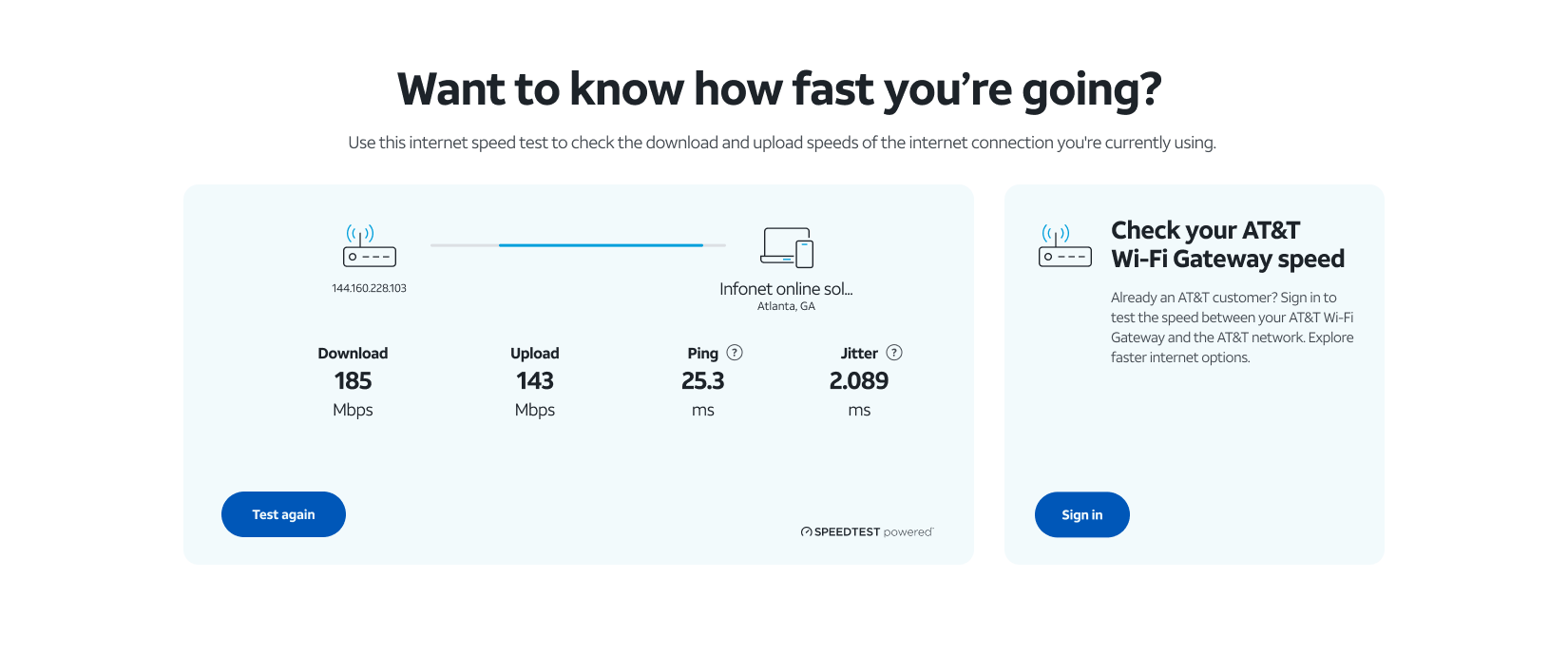
Show four numbers, and explain the two nobody knows. Download, upload, ping and jitter. Download and upload explain themselves. Ping and jitter do not, and they are the two that actually explain a bad video call, so both carry a tooltip.
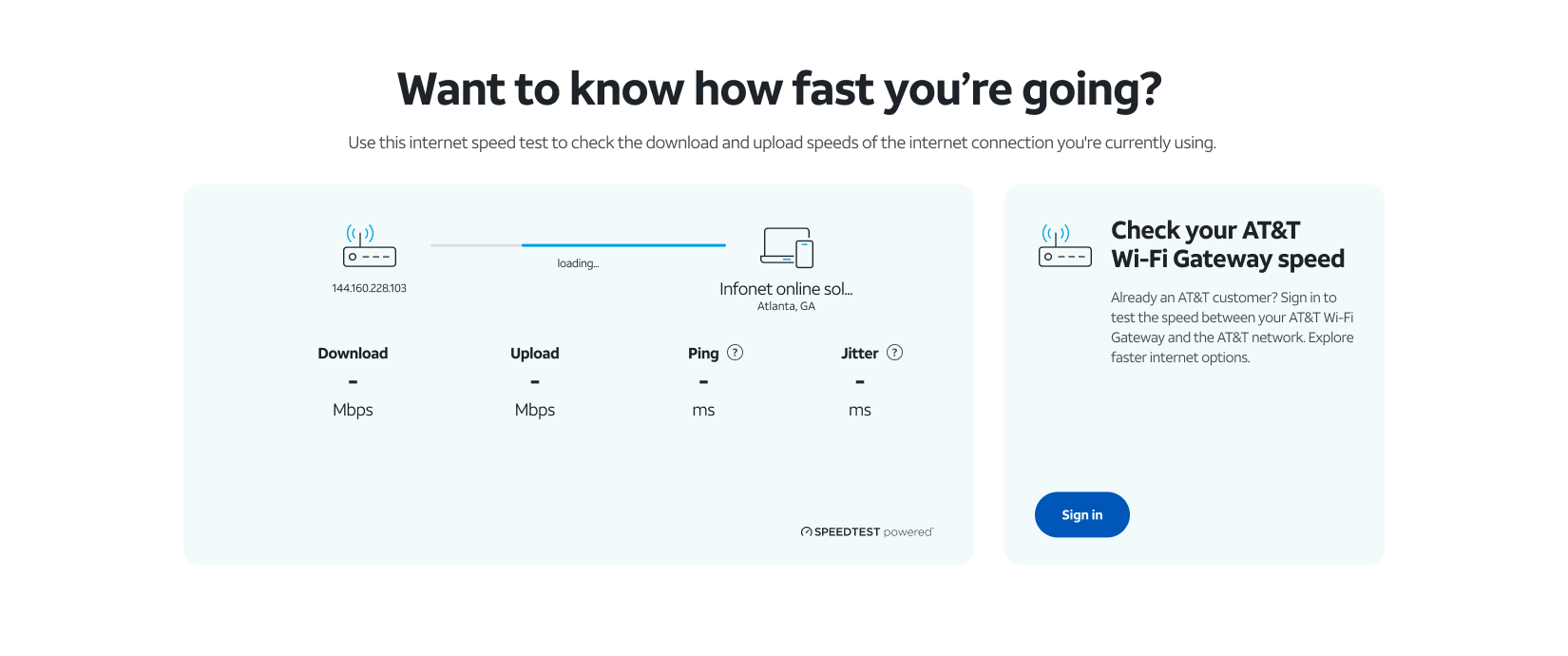
Draw the connection, not just the number. The result state shows your gateway, a line, and the named test server with its city. 185 Mbps on its own is a number. 185 Mbps measured from your address to a server in Atlanta is a measurement, and a customer can reason about the second one.
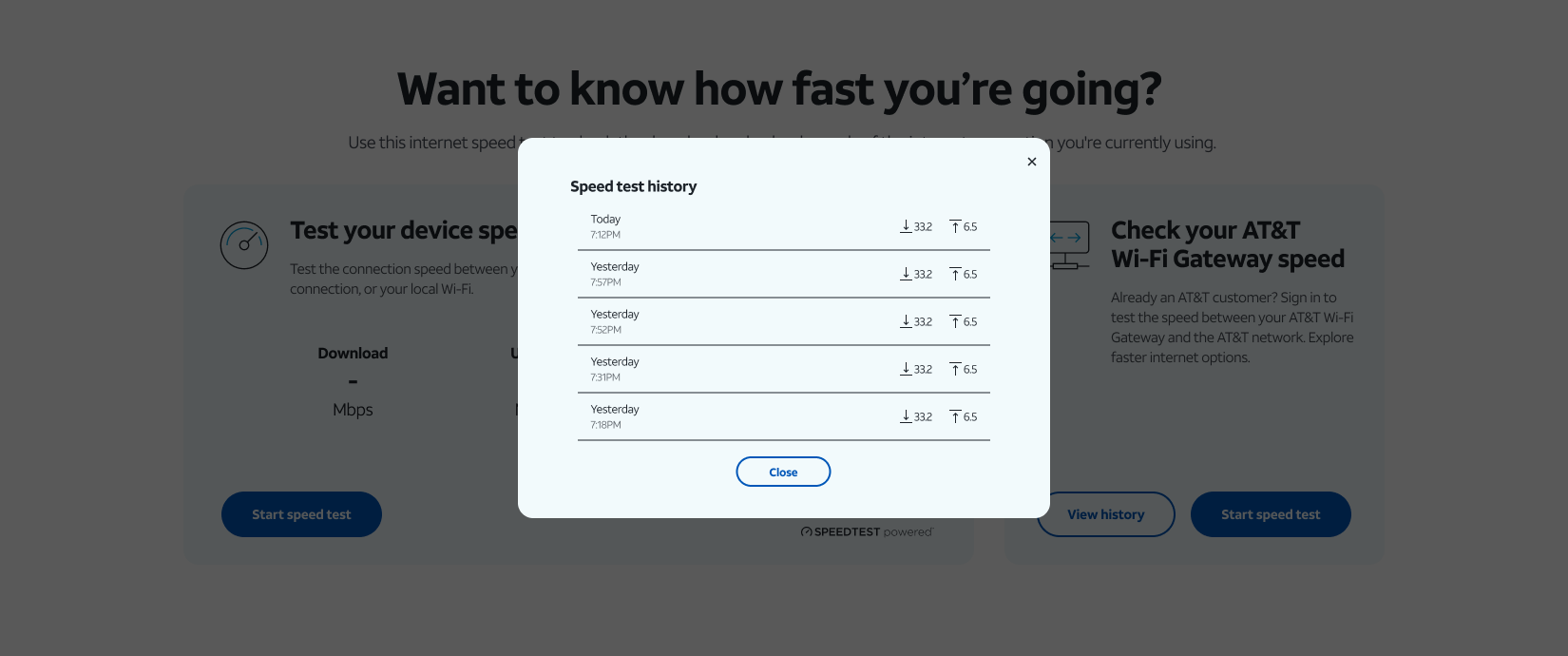
Give signed-in customers their history. One reading cannot answer "is my internet slow", because slow usually means slower than it was, or slow at certain hours. A list of past tests turns a single measurement into a trend, which is the thing worth acting on.
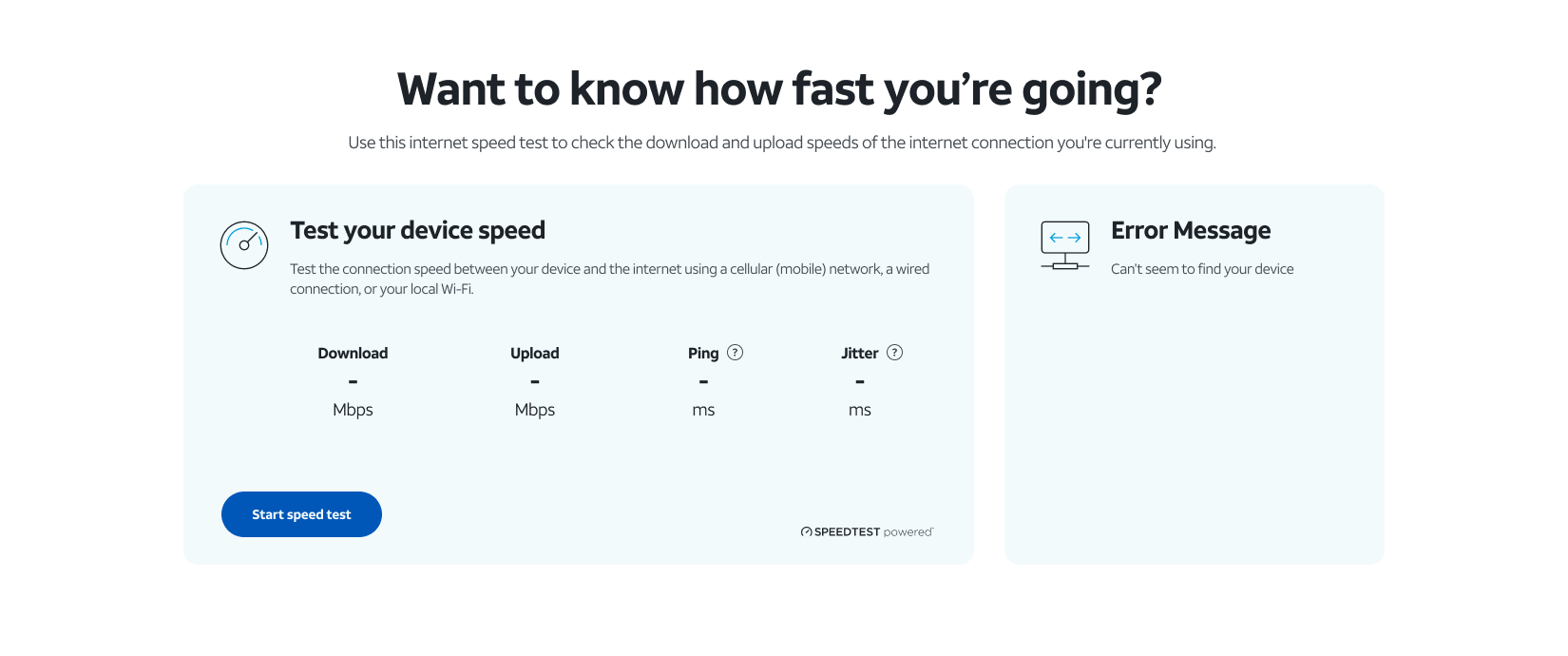
Design the failures, because there are more of them than successes. A speed test is trivial when it works. Almost all of the design is what happens when it does not: the gateway cannot be found, the test times out, the connection drops mid-run, the history fails to load, the API returns nothing, the card is still loading.
The rule underneath all of it is that failure is scoped to the card it happened in. If the gateway cannot be found, that card shows the error and the device test keeps working. A customer who signed in to check one thing still gets an answer to the other, instead of a broken page.
Customer Journey
Someone thinks their internet is slow. Where they are when they think it decides what happens next.
Before, there was one path: get frustrated, go to Support, dig down several levels, find the tool. Everyone who did not do that either called, or guessed, or did nothing.
As a component the entry points multiply. Somebody comparing plans sees it while they are comparing. Somebody on a product page sees it while they are deciding. Somebody in Support still sees it where it always was.
From there the path is the same. Run the open test, get four numbers. If you are an AT&T customer, sign in and run the gateway test. Compare the two. That comparison routes you: your Wi-Fi setup, or a call to us, or a faster plan, which is the one the upper-funnel placement exists to catch.
Impact
The combined component was prototyped in 2022 and the rebuilt tool shipped in 2024: both tests in one component, built across desktop, tablet and mobile, with every loading, offline, empty and API-failure state specified rather than left to engineering to invent.
It runs today at att.com/support/speedtest, and because it is a component rather than a page it is no longer confined to that address.
An honest gap: I do not have the numbers on what moved after it shipped. The measurable version of this project would compare tool usage before and after, and support call volume for slow-internet complaints, and I did not carry those figures out with me. The two AT&T case studies either side of this one close on tested results. This one closes on a shipped component, and I would rather say so than reach for a number I cannot stand behind.
Learning
The accessibility problem was an information architecture problem wearing a UX costume.
Nothing about the old tool was hard to use. It was hard to reach, which is a different failure and it does not show up in usability testing, because a usability test starts by putting the participant on the page. The people it was failing were the ones who never arrived.
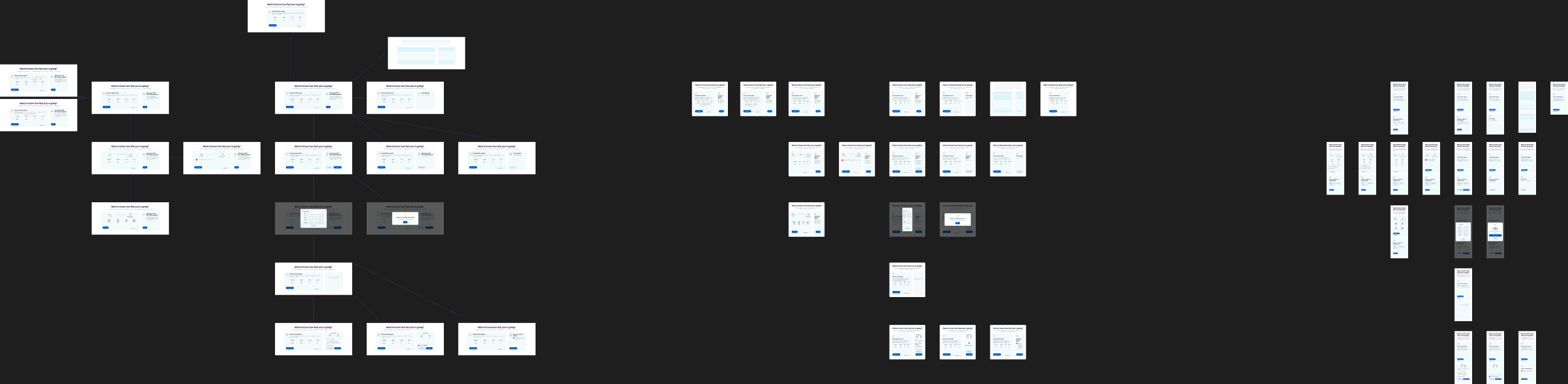
The second lesson is that turning a page into a component is mostly a state problem. On a page you can quietly rely on the page: its layout, its width, its one audience. A component has none of that, so everything the page was doing implicitly has to be made explicit. The 22,000 pixel wide variant canvas behind this is not thoroughness for its own sake. It is the cost of the thing being able to move.
The third is that error states are where the design actually lives. Four frames cover the happy path. The rest cover a gateway that cannot be found, an API that returns nothing, a connection that drops mid-test. Deciding that a failed gateway lookup degrades one card rather than the page is a smaller decision than the layout and a much larger one for the person it happens to.